60+ SEO Interview Questions and Answers (2026)
From beginners to experienced SEO professionals — covering everything from basic SEO concepts to advanced interview questions with detailed answers.
SEO interviews today are more practical and strategy-focused than ever before. Companies are not only looking for candidates who know basic SEO concepts, but also professionals who understand keyword research, technical SEO, analytics, content optimization, and real-world problem solving.
Whether you are a fresher preparing for your first SEO interview or an experienced professional looking to refresh your knowledge, this guide covers beginner to advanced SEO interview questions — from On-Page and Technical SEO to Google Analytics, keyword research, and practical scenarios — written in simple language to help you prepare confidently.
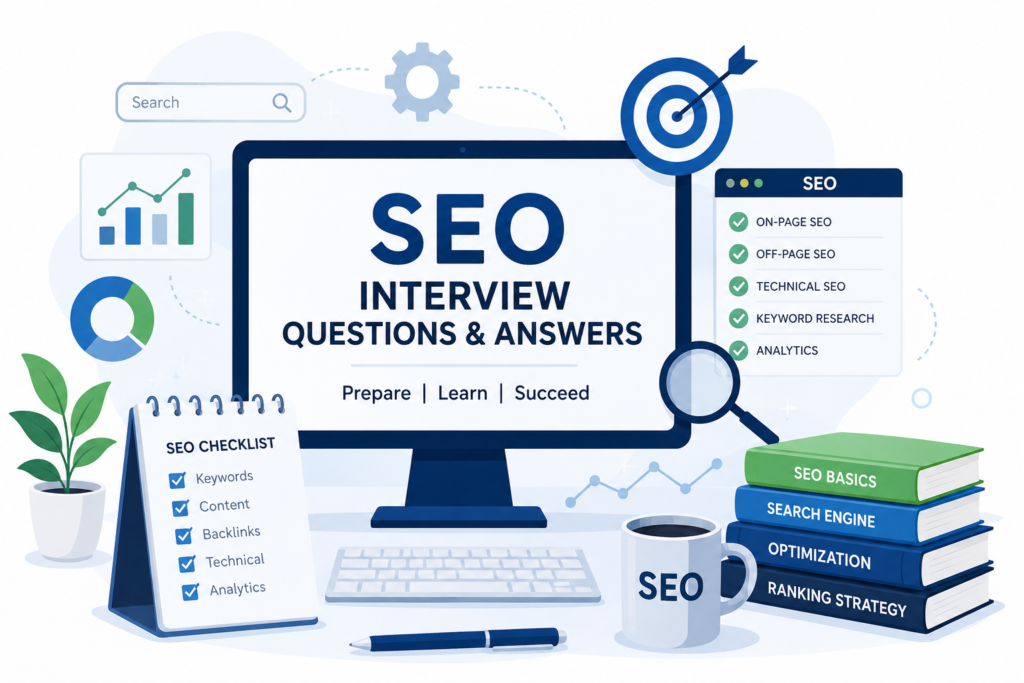
BASIC SEO QUESTIONS
1. What is SEO?
SEO (Search Engine Optimization) is the process of optimizing a website to improve its visibility and ranking on search engine results pages (SERPs) like Google, Bing, and Yahoo. The main goal of SEO is to increase organic traffic, improve online visibility, and attract the right target audience to the website.
2. What are the main types of SEO?
The main types of SEO are:
- On-Page SEO: Optimizing content, keywords, meta tags, headings, images, and internal links within a website.
- Off-Page SEO: Building website authority through backlinks, brand mentions, and other external signals.
- Technical SEO: Improving technical aspects such as site speed, mobile-friendliness, crawlability, indexing, and structured data.
Some SEO experts also consider Local SEO and International SEO as specialized types of SEO.
3. How Do Search Engines Work?
Search engines operate in three main stages:
- Crawling – Search engine bots (also called spiders or crawlers) discover web pages by following links across the internet.
- Indexing – The crawled pages are analyzed and stored in a massive database called the index.
- Ranking – When a user searches for something, the search engine retrieves and ranks the most relevant and authoritative pages based on various ranking factors such as relevance, authority, user experience, freshness, and E-E-A-T (Experience, Expertise, Authoritativeness, and Trustworthiness).
4. What is the difference between organic and paid search?
Organic search refers to unpaid search results that appear based on SEO optimization and website relevance. Paid search refers to advertisements that businesses run using platforms like Google Ads to gain immediate visibility and traffic.
Organic search is a long-term strategy that earns traffic naturally, while paid search delivers faster results through advertising.
5. What is meta title and meta description?
A meta title is the clickable title that appears in search engine results and helps users and search engines understand the page’s content.
A meta description is a short summary displayed below the meta title in search results. It provides a brief overview of the page and can help improve click-through rates.
6. What is the difference between White Hat, Black Hat, and Grey Hat SEO?
- White Hat SEO follows search engine guidelines and focuses on ethical SEO practices like quality content, proper keyword optimization, and user experience.
- Black Hat SEO uses unethical techniques like keyword stuffing, cloaking, and spam backlinks to manipulate rankings quickly.
- Grey Hat SEO is a mix of both, where methods are not completely against guidelines but may still carry some risk.
7. What is Keyword Clustering?
Keyword clustering is the process of grouping related keywords with similar search intent together so you can target all of them with a single page, rather than creating separate pages for each keyword.
Example: Instead of separate pages for “best running shoes”, “top running shoes 2026”, and “running shoes for men” — you target all three on one page.
Why it matters:
- Prevents keyword cannibalization
- Builds topical authority
- Creates stronger, more comprehensive pages that rank better.
8. What is a Backlink?
A backlink is a link from another website pointing to your site.A backlink is a link from another website pointing to your site. Google treats it as a vote of trust — the more quality backlinks you have, the higher your site ranks.
Dofollow = passes SEO value | Nofollow = doesn’t pass SEO value.
9. What is SERP in SEO?
SERP stands for Search Engine Results Page — it’s the page Google shows after you search for something.
Example: When you type “best SEO tools” on Google, the page that appears with all the results is the SERP.
What appears on a SERP:
- Paid ads (Google Ads) — top and bottom
- Organic results — the 10 blue links
- Featured snippets — answer box at the top
- People Also Ask — expandable questions
- Local pack — map + 3 local businesses
- Images / Videos — visual results
Why it matters for SEO:
The goal of SEO is to rank as high as possible on the SERP — ideally Position 1 — because 90% of clicks go to the first page.
10. What is search intent in SEO?
Search intent is the reason behind a user’s search query — what they actually want to find when they type something into Google.
Google’s #1 goal is to match results to intent, so if your content doesn’t match the intent, it won’t rank no matter how well optimised it is.
4 Types of Search Intent:
| Type | What the User Wants | Example |
|---|---|---|
| Informational | Learn something | “what is SEO” |
| Navigational | Find a specific site | “Ahrefs login” |
| Commercial | Research before buying | “best SEO tools 2026” |
| Transactional | Buy or take action | “buy SEMrush subscription” |
Quick tip to find intent:
Google the keyword and look at the top 5 results. If they’re all blog posts → write a blog post. If they’re all product pages → create a product page. Google already tells you the intent through the results.
ON-PAGE SEO QUESTIONS
11. How to do SEO for a website?
I start with an SEO audit to identify technical, on-page, and off-page issues. Then I conduct keyword research using SEMrush or Ahrefs to find relevant, high-intent keywords and optimise title tags, meta descriptions, content, and site speed. I build quality backlinks through outreach and guest posting, and for local businesses I optimise Google Business Profile and citations. Finally I track performance in Google Search Console and GA4 and continuously improve based on data and results.
12. What is canonical tag?
A canonical tag is an HTML tag that tells Google which is the preferred version of a page when duplicate or similar URLs exist — preventing duplicate content issues and consolidating all ranking power to one URL.
<link rel="canonical" href="https://example.com/seo" />13. What is keyword cannibalization?
Keyword cannibalization is when two or more pages on the same website target the same keyword, causing them to compete against each other in Google rankings.
Example:
Page 1: “Best SEO Tools”
Page 2: “Top SEO Tools 2026”
Both targeting the same keyword = Google gets confused about which page to rank — hurting both pages instead of helping one.
How to fix it:
- Merge both pages into one stronger page
- Redirect the weaker page to the stronger one (301)
- Re-target one page to a different keyword
Instead of two pages fighting each other, combine them into one page that dominates the ranking.
14. What is E-E-A-T?
- E-E-A-T stands for Experience, Expertise, Authoritativeness, and Trustworthiness — Google’s framework for evaluating content quality and deciding how much a we…E-E-A-T stands for Experience, Expertise, Authoritativeness, and Trustworthiness — Google’s framework for evaluating content quality and deciding how much a website can be trusted.
- Why it matters: Especially important for health, finance, and legal niches — Google only ranks content from credible, trustworthy sources.
- How to improve it: Add author bios with credentials, earn backlinks from authority sites, show reviews, and keep content accurate and up to date.
15. What is Internal Linking?
Internal linking is the practice of linking one page of a website to another page on the same website. It helps users navigate the site, improves content discoverability, and assists search engines in understanding the website’s structure and hierarchy. Always use descriptive anchor text to tell Google what the linked page is about.
16. How to optimize for featured snippets?
- Target question-based keywords — “what is,” “how to,” “why does”
- Use the keyword as a H2 or H3 heading in your content
- Write a direct, concise answer of 40-60 words immediately below the heading
- Use bullet points, numbered lists, or tables — Google loves structured formats
- Add a “What is X” or “How to X” section on every blog post
- Your page must already rank on page 1 — snippets are only pulled from top results
- Use schema markup (FAQ schema) to improve chances of appearing in snippets
17. What is topical authority in seo?
Topical authority is when Google recognises your website as an expert on a specific topic because you have comprehensive content covering every aspect of that subject.
How to build it: Create pillar pages and cluster content, cover your niche deeply, interlink related pages, and publish consistently on the same topic.
The more thoroughly you cover a topic, the more Google trusts your site as an authority on it.
18. What is a URL slug and how should it be optimized?
A URL slug is the part of the URL that comes after the domain name — example.A URL slug is the part of the URL that comes after the domain name — example.com/what-is-seo
How to optimize it:
- Keep it short and descriptive
- Include the primary keyword
- Use hyphens between words
- Use lowercase letters only
- Remove stop words like “a”, “the”, “is”
19. How do you perform a content gap analysis?
A content gap analysis is the process of finding topics and keywords your competitors rank for but your website doesn’t — so you can create content to fill those gaps and capture missing traffic.
How to do it:
- Identify your top 3-5 competitors in your niche
- Use SEMrush or Ahrefs → Keyword Gap tool → enter your domain vs competitors
- Filter keywords your competitors rank for but you don’t
- Analyse the results — look for high volume, low competition opportunities
- Create content targeting those missing keywords
- Prioritise by search volume, difficulty, and business relevance
Example: Your site ranks for “SEO tips” but competitor ranks for “SEO tips for beginners,” “SEO tips for small business,” and “SEO tips for ecommerce” — those are your content gaps.
20. What is voice search optimization and how does it play a role in on-page SEO?
Voice search optimization is the process of optimizing content to appear in voice search results from devices like Siri, Alexa, and Google Assistant. Unlike regular search where users type short queries, voice searches are longer and more conversational — “What are the best SEO tools for beginners?” instead of “best SEO tools.”
How it connects to on-page SEO:
- Use conversational, question-based keywords — “what,” “how,” “why”
- Write short, direct answers of 40-60 words
- Add FAQ sections to answer voice queries naturally
- Optimize for featured snippets — most voice answers are pulled from snippets
- Use schema markup to help Google read your content aloud
- Improve page speed — voice search favours fast-loading pages
- Optimize your content for how people speak, not just how they type.
TECHNICAL SEO QUESTIONS
21. What is crawling and indexing in SEO?
Crawling is the process where Google sends bots (spiders) to discover and scan web pages. Indexing is when Google stores and organises those scanned pages in its database to show in search results.
| Process | Meaning |
|---|---|
| Crawling | Discovering and scanning web pages |
| Indexing | Storing pages in Google’s database |
| Ranking | Displaying pages in search results based on relevance |
22. What is robots.txt?
Robots.txt is a text file that tells search engine bots which pages to crawl and which to ignore on your website.
Disallow: /admin/    → Don't crawl this
Allow: /blog/        → Crawl this
Key point: Robots.txt prevents crawling – not indexing. To prevent a page from appearing in search results use a noindex tag instead.
23. What is XML sitemap?
An XML sitemap is a file that lists all the important pages on your website, helping search engines find, crawl, and index your content faster.
Example: example.com/sitemap.xml
24. What is the difference between XML Sitemap and llms.txt?
An XML sitemap is a file that lists all important pages on your website to help search engines like Google crawl and index your content faster. It is the standard for traditional SEO.
An llms.txt is a plain text file that helps AI models like ChatGPT, Claude, and Perplexity understand your website’s content and structure. It is an emerging standard for AEO (Answer Engine Optimization).
Key Differences:
| Feature | XML Sitemap | llms.txt |
|---|---|---|
| Purpose | Helps search engines crawl and index pages | Helps AI models understand content |
| For | Google, Bing bots | ChatGPT, Claude, Perplexity |
| Format | XML file | Text file |
| Location | /sitemap.xml | /llms.txt |
| Use Case | Traditional SEO | AI Search / AEO |
XML Sitemap is for search engines, while llms.txt is designed for AI models. Using both can help improve content discoverability across different platforms.
25. What are Core Web Vitals?
Core Web Vitals are Google’s set of metrics that measure the real-world user experience of a webpage — specifically loading speed, interactivity, and visual stability. They are a direct Google ranking factor.
The 3 Core Web Vitals:
| Metric | What it Measures | Good Score |
|---|---|---|
| LCP (Largest Contentful Paint) | How fast the main content loads | Under 2.5 seconds |
| INP (Interaction to Next Paint) | How fast the page responds to user interaction | Under 200 ms |
| CLS (Cumulative Layout Shift) | How stable the page layout is (no jumping elements) | Under 0.1 |
How to improve them:
- LCP — Compress images, use CDN, enable caching
- INP — Reduce JavaScript, remove unused plugins
- CLS — Set fixed dimensions for images and videos
26. What are 301 redirect and 302 redirect?
- A 301 redirect is a permanent redirect that tells Google a page has moved permanently to a new URL and passes full SEO authority to the new page.
- A 302 redirect is a temporary redirect that tells Google a page has moved temporarily and does not pass full SEO authority.
27. What is Schema Markup?
Schema markup is code added to a webpage that helps Google understand the content better and display rich results in search results.
Example: Instead of a plain blue link, schema can show star ratings, FAQ dropdowns, product prices, and event dates directly in the SERP.
Common Types of Schema
| Schema Type | Purpose |
|---|---|
| FAQ Schema | Displays FAQ rich results |
| Article Schema | For blog posts and articles |
| Product Schema | Shows product information |
| Review Schema | Displays ratings and reviews |
| Organization Schema | Provides business information |
| Breadcrumb Schema | Shows breadcrumb navigation |
28. What is Mobile-First Indexing?
Mobile-first indexing means Google primarily uses the mobile version of your website for crawling, indexing, and ranking – rather than the desktop version.
Why Google made this change: More than 60% of searches now happen on mobile devices – so Google indexes the mobile version first.
What it means for SEO:
- If your mobile site has less content than desktop – you will lose rankings
- If your site is not mobile-friendly – your rankings will drop
- Google judges your site based on how it looks and performs on mobile
29. What is Structured Data?
Structured data is a standardized format used to provide information about a webpage and its content to search engines. It helps search engines better understand the page and can enable enhanced search results, such as rich snippets.
30. How do You Identify and Fix Crawl Errors?
Identify using:
- Google Search Console → Coverage Report (shows 404s, 500s, redirect errors)
- Screaming Frog / Ahrefs Site Audit — crawls your site and flags broken URLs
- Server logs — shows exactly which URLs bots failed to access
Common errors & fixes:
| Error | Fix |
|---|---|
| 404 Not Found | Set up a 301 redirect or fix broken internal links. |
| 500 Server Error | Check server logs and contact the hosting provider. |
| Blocked by robots.txt | Remove incorrect Disallow rules if the page should be crawled. |
| Redirect Loop | Fix the destination URL and avoid redirect chains or loops. |
After fixing: Hit “Validate Fix” in Google Search Console to prompt re-crawling and monitor the Coverage Report regularly.
OFF-PAGE SEO QUESTIONS
31. What is Link Building?
Link building is the process of getting other websites to link back to your website (backlinks). It’s a key off-page SEO strategy because search engines like Google treat backlinks as “votes of trust” – the more quality links pointing to your site, the higher it ranks.
Why it matters:
- Boosts domain authority
- Improves search engine rankings
- Drives referral traffic
Common link building techniques:
- Guest posting – writing articles for other sites in exchange for a backlink
- Broken link building – finding broken links on other sites and suggesting your content as a replacement
- Skyscraper technique – creating better content than competitors and asking sites to link to yours instead
- Directory submissions – listing your site on relevant directories
- Digital PR – earning links through press coverage or data-driven content
Key point: Quality matters more than quantity. A single backlink from a high-authority site is worth more than 100 links from low-quality sites. Google penalizes spammy or purchased links via its Penguin algorithm.
32. What is Domain Authority (DA)?
Domain Authority (DA) is a metric developed by Moz that predicts how likely a website is to rank in search engine results compared to other websites. It is measured on a scale of 1 to 100, with higher scores indicating stronger ranking potential.
33. What is the difference between dofollow and nofollow links?
- DoFollow links pass “link juice” (SEO value) from one website to another, helping improve the linked page’s authority and search engine rankings. By default, all links are DoFollow unless specified otherwise.
- NoFollow links use the rel=”nofollow” attribute to tell search engines not to pass SEO value or ranking signals to the linked page.
34. What are Toxic/Spammy Backlinks and How Do You Handle Them?
Toxic backlinks are low-quality or spammy links from irrelevant, untrustworthy, or suspicious websites that can negatively impact a website’s SEO performance. I identify them using tools like Google Search Console, Ahrefs, or SEMrush, analyze their quality and relevance, and if they are harmful, I either request their removal or use Google’s Disavow Tool to prevent them from affecting the website’s rankings.
35. What is Guest Posting as an SEO Strategy?
Guest posting is an off-page SEO technique where you write and publish content on another website within your industry or niche. The primary goal is to earn high-quality backlinks, increase brand visibility, and establish authority in your field.
When a guest post includes a link back to your website, it can help improve your website’s authority, drive referral traffic, and support search engine rankings.
36. What is Local SEO?
Local SEO (Local Search Engine Optimization) is the process of optimizing a business’s online presence to improve visibility in location-based search results. It helps businesses appear in Google Search and Google Maps when users search for products or services in a specific area.
Local SEO involves optimizing a Google Business Profile, maintaining NAP (Name, Address, Phone Number) consistency, building local citations, collecting customer reviews, and targeting location-specific keywords.
37. What are Citations in SEO?
- Citations are online mentions of a business’s Name, Address, and Phone Number (NAP) that help improve local SEO and verify business information across the web.
- Citations can be structured (business directories) or unstructured (mentions on blogs, news websites, or social media).
- Examples of Local Citations are Google Business Profile, Justdial, Sulekha, IndiaMART, Yelp, etc…
38. What is the Difference Between On-Page SEO and Off-Page SEO?
- On-Page SEO refers to optimization activities performed directly on a website to improve its search engine rankings. This includes optimizing title tags, meta descriptions, content, keywords, internal links, images, and website structure.
- Off-Page SEO refers to activities performed outside the website to improve its authority and credibility. This includes link building, guest posting, social media promotion, brand mentions, and local citations.
- In simple terms, On-Page SEO focuses on optimizing your website, while Off-Page SEO focuses on building your website’s authority and reputation across the web.
39. What Tools are Used for Off-Page SEO?
SEO professionals use a variety of tools to support off-page SEO activities such as backlink research, authority building, outreach, citation management, and performance tracking.
- Backlink Research & Link Building: Ahrefs, SEMrush, Moz, Majestic SEO
- Content Promotion & Outreach: BuzzSumo, Hunter.io
- Social Media Marketing: Buffer, Hootsuite, Sprout Social
- Local SEO & Citation Management: BrightLocal, Moz Local, Yext
- Performance Monitoring: Google Search Console, Google Analytics
These tools help identify backlink opportunities, monitor website authority, manage local listings, analyze competitors, and measure the effectiveness of off-page SEO campaigns.
40. What is anchor text and what types are there?
Anchor text is the clickable text in a hyperlink that directs users to another page.
Example: <a href=”example.com”>SEO Services</a> — here “SEO Services” is the anchor text.
Types of Anchor Text:
| Anchor Text Type | Example |
|---|---|
| Exact Match | “SEO services” linking to an SEO page |
| Partial Match | “best SEO tips for beginners” |
| Branded | “Moz”, “Ahrefs”, “Neil Patel” |
| Naked URL | www.example.com |
| Generic | “Click here”, “Read more” |
| LSI / Related | Synonyms or related keywords |
| Image Alt Text | Alt text acts as anchor text for image links |
Note: A natural mix of anchor text types looks trustworthy to Google. Over-optimizing with too many exact match anchors can trigger a Google Penguin penalty.
SEO Analytics & Tools QUESTIONS
41. How Do You Use Google Search Console for SEO?
Google Search Console helps monitor and improve a website’s performance in Google Search. It is used to track keyword rankings, clicks, impressions, CTR (Click-Through Rate), and average position. SEO professionals also use it to identify indexing issues, submit XML sitemaps, monitor Core Web Vitals, inspect URLs, analyze backlinks, and fix crawl errors.
By regularly reviewing Search Console data, you can identify optimization opportunities and improve your website’s organic search performance.
42. What Reports are Available in Google Search Console?
Google Search Console provides several reports to help monitor and improve a website’s search performance:
- Performance Report – Tracks clicks, impressions, CTR, and average position.
- URL Inspection Report – Checks indexing and crawl status of individual pages.
- Indexing Report – Shows indexed and non-indexed pages along with indexing issues.
- Sitemaps Report – Allows you to submit and monitor XML sitemaps.
- Core Web Vitals Report – Measures page experience and performance metrics.
- Page Experience Report – Evaluates user experience signals.
- Links Report – Displays internal and external backlinks.
- Manual Actions Report – Identifies penalties applied by Google.
- Security Issues Report – Highlights malware, hacking, or security problems.
These reports help monitor website health, identify issues, and improve search visibility.
43. What Metrics Can you Track in Google Search Console?
Google Search Console provides several important SEO metrics that help measure a website’s search performance:
- Clicks – Number of times users clicked on your website from Google Search.
- Impressions – Number of times your pages appeared in search results.
- Click-Through Rate (CTR) – Percentage of impressions that resulted in clicks.
- Average Position – Average ranking position of your pages in search results.
- Indexed Pages – Number of pages indexed by Google.
- Core Web Vitals – Measures page experience and performance.
- Backlinks (Under Links) – External websites linking to your site.
- Internal Links – Links connecting pages within your website.
These metrics help monitor site’s visibility, organic traffic, technical health, and ranking performance directly from Google.
44. What is the URL Inspection Tool?
The URL Inspection Tool is a Google Search Console feature used to check a page’s indexing status, crawl information, canonical URL, and any issues affecting its visibility in Google Search.
45. How do you fix coverage errors in GSC?
First, I will identify the error in the Indexing Report, fix the root cause, and then use the ‘Validate Fix’ option in Google Search Console to confirm the issue has been resolved.
| Error | Fix |
|---|---|
| 404 Not Found | Set up a 301 redirect or fix broken internal links. |
| Submitted URL Not Found | Remove the URL from the sitemap or restore the page. |
| Blocked by robots.txt | Remove the Disallow rule if the page should be crawled. |
| Noindex Tag | Remove the noindex meta tag if the page should be indexed. |
| Redirect Error | Fix redirect chains, loops, or incorrect redirects. |
| Soft 404 | Add valuable content or return a proper 404/301 status code. |
| 500 Server Error | Resolve server issues and contact the hosting provider if needed. |
| Duplicate Content | Add a canonical tag to the preferred version of the page. |
| Crawled – Currently Not Indexed | Improve content quality, uniqueness, and internal linking. |
| Discovered – Currently Not Indexed | Improve crawlability, internal links, and submit the sitemap. |
46. What is Screaming Frog and How Is It Used?
Screaming Frog SEO Spider is a website crawling tool used to identify technical SEO issues and analyze website structure. It crawls websites similar to a search engine bot and provides valuable SEO data.
SEO professionals use Screaming Frog to find broken links, redirect chains, duplicate content, missing title tags, missing meta descriptions, crawl errors, canonical issues, and other technical SEO problems.
It is widely used for technical SEO audits and website health checks.
47. What tools are useful for local SEO?
Common local SEO tools include Google Business Profile, BrightLocal, Moz Local, Yext, Google Search Console, and Google Analytics. These tools help with local listings, citation management, review monitoring, and local rank tracking.
48. How Do You Track Local SEO Performance in Google Search Console?
Local SEO performance can be tracked in Google Search Console by monitoring location-based keywords, clicks, impressions, CTR, and average position in the Performance Report. We can also analyze location-specific landing pages to measure local search visibility and performance.
49. Which Tool Do You Use for Competitor Analysis?
- I primarily use SEMrush and Ahrefs for competitor analysis.
- SEMrush helps me analyze competitor keywords, traffic, and ad strategy. Ahrefs is great for backlink research and keyword gap analysis. I also use SimilarWeb for traffic source insights and SpyFu for PPC competitor research.
- These tools help me understand what keywords competitors rank for, where their backlinks come from, and what content performs best – so I can build a stronger SEO strategy.
50. What is the Difference Between Google Analytics and Google Search Console?
Google Analytics and Google Search Console are both important SEO tools, but they serve different purposes.
Google Analytics focuses on user behavior after visitors land on your website. It provides data on traffic sources, user engagement, sessions, conversions, bounce rate, and other website performance metrics.
Google Search Console focuses on how your website performs in Google Search. It provides data on clicks, impressions, CTR, average position, indexing status, crawl issues, and keyword performance.
Key Difference: Google Analytics shows what users do on your website, while Google Search Console shows how users find your website through Google Search.
Advanced SEO Interview Questions
51. How do you recover from a traffic drop?
- When a website experiences a traffic drop, my first step is to identify the root cause. I start by analyzing Google Analytics and Google Search Console to determine which pages, keywords, or traffic sources have been affected.
- Next I investigate possible causes such as Google algorithm updates, indexing or crawling issues, technical SEO problems, recent website changes, content updates, and backlink losses. I also review competitor activity and check whether the content still aligns with current search intent.
- Once I identify the issue, I create a recovery plan, implement the necessary fixes, and closely monitor performance through Google Analytics and Search Console to track improvements and restore rankings and organic traffic.
52. How Do You Perform an SEO Audit?
- I start by understanding the website’s goals, target audience, and competitors. Then I perform a complete SEO audit covering technical SEO, on-page SEO, and off-page SEO.
- First I check technical factors such as indexing, crawlability, XML sitemaps, robots.txt, page speed, Core Web Vitals, broken links, redirects, and canonical tags — using Screaming Frog and Google Search Console.
- Next I review on-page elements including title tags, meta descriptions, content quality, keyword optimization, heading structure, internal linking, and schema markup — using SEMrush or Ahrefs.
- I also analyze backlinks, competitor performance, and keyword opportunities using Ahrefs. Finally, I prioritize issues based on their impact and create an action plan to improve the website’s search visibility and performance.
53. How Do You Handle SEO for Product Pages?
- Product page SEO involves optimizing each product page to improve visibility, rankings, and conversions. I start with keyword research to identify relevant product and transactional keywords. Then I optimize the product title, meta title, meta description, URL, headings, and product descriptions.
- I also add high-quality images with optimized alt text, implement Product Schema, improve internal linking, and ensure the page loads quickly on both desktop and mobile devices. Customer reviews, FAQs, and unique product descriptions are also important for improving user experience and search visibility.
- Regular monitoring of rankings, traffic, and conversions helps identify further optimization opportunities.
54. Website Has High Bounce Rate. What Steps Will You Take?
When I see a high bounce rate, I first use Google Analytics to identify which pages are affected and investigate the cause.
Common causes & fixes:
- Slow page speed — compress images, enable caching, minify CSS/JS
- Poor mobile experience — improve responsive design
- Mismatched search intent — align content with what users actually expect
- Poor content quality — improve depth, add visuals and FAQs
- No clear CTA — add internal links and next steps to keep users engaged
- Aggressive popups — reduce or delay popups
- Irrelevant traffic — refine keyword and audience targeting
55. A Page is Crawled but Not Indexed. How Would You Troubleshoot It?
- When I face this issue, my first step is to check the URL Inspection Tool in GSC to understand exactly why Google isn’t indexing the page.
- From my experience the most common reasons are either an accidental noindex tag or thin content — so I check these two first.
- Then I look for other possible causes like the page being blocked by robots.txt, a canonical tag pointing to the wrong page, duplicate content, or the page having very few internal links making it hard for Google to find.
- Once I identify the issue I fix it, then use the URL Inspection Tool to request indexing and resubmit the XML sitemap in GSC. After that I monitor the Coverage Report to confirm the page gets indexed.
56. A Website Migration Caused a 30% Traffic Drop. What Would You Check?
- If a website experiences a traffic drop after migration, I would first check whether all old URLs are properly redirected using 301 redirects. Next, I would review Google Search Console for crawl errors, indexing issues, and coverage reports.
- I would verify that the XML sitemap has been updated and submitted correctly, check for broken internal links, and ensure canonical tags are pointing to the correct URLs. I would also compare organic traffic and rankings before and after migration to identify the affected pages.
- Additionally, I would review robots.txt, noindex tags, page speed, mobile usability, and backlink redirects to ensure search engines can crawl and index the new website properly. Once the root cause is identified, I would implement fixes and closely monitor recovery through Google Search Console and Google Analytics.
57. A Page Ranks on Page 2 for Multiple Keywords. How Would You Push It to Page 1?
I would first analyze the pages ranking above me and identify content gaps. Then I would improve the content, optimize title tags and meta descriptions, strengthen internal linking, add relevant keywords, improve user experience, and build quality backlinks. I would also ensure the page fully matches the user’s search intent.
58. An E-commerce Website Has 10,000 Products. How Would You Handle SEO at Scale?
- For a large e-commerce website, I would focus on site structure, scalability, and automation. I would organize products into clear categories, optimize category and product pages, implement product schema, manage duplicate content using canonical tags, and maintain XML sitemaps for efficient crawling and indexing.
- I would also prioritize high-value products, improve internal linking, optimize crawl budget, and use templates for title tags and meta descriptions to ensure SEO can be managed efficiently across thousands of pages.
59. How Would You Build Backlinks for a Brand-New Website?
For a new website, I would start by building foundational backlinks through business directories, local citations, and Google Business Profile. Next, I would focus on guest posting, niche outreach, and creating high-quality content that naturally attracts backlinks.
I would also analyze competitors’ backlink profiles to identify link opportunities and use strategies such as broken link building and content promotion. The focus would be on acquiring relevant, high-quality backlinks rather than a large number of low-quality links.
60. Core Web Vitals Scores Are Poor. How Would You Improve Them?
- If Core Web Vitals scores are poor, I would first identify the affected pages and metrics using Google Search Console, PageSpeed Insights, and Lighthouse. Then I would optimize images, enable browser caching, reduce unused CSS and JavaScript, improve server response times, and use a CDN if needed.
- For LCP (Largest Contentful Paint), I would optimize large images, fonts, and improve page loading speed. For INP (Interaction to Next Paint), I would reduce JavaScript execution and improve page responsiveness. For CLS (Cumulative Layout Shift), I would define image and video dimensions and prevent unexpected layout shifts.
- After implementing the changes, I would monitor the results in Google Search Console and PageSpeed Insights to ensure the Core Web Vitals scores improve.
61. How Do You Improve Google Maps Rankings?
To improve Google Maps rankings, I start by fully optimizing the Google Business Profile with accurate business information, relevant categories, services, photos, and business descriptions. I ensure NAP (Name, Address, Phone Number) consistency across all directories and local citations.
I also focus on getting genuine customer reviews, optimizing for local keywords, building local backlinks, and regularly posting updates on the Google Business Profile. Additionally, I monitor performance and address any profile issues to improve local visibility and Map Pack rankings.
62. What is Conversion Tracking in GA4?
- Conversion Tracking in Google Analytics 4 (GA4) is the process of measuring important user actions on a website, such as form submissions, purchases, newsletter signups, phone calls, or downloads.
- In GA4, conversions are tracked as events. Once an important event is marked as a conversion, GA4 records how many users complete that action and helps measure the effectiveness of SEO, marketing campaigns, and website performance.
- Conversion tracking helps businesses understand whether their website traffic is generating valuable results.
63. What is Crawl Budget?
Crawl budget is the number of pages Googlebot crawls on a website within a given period. It is important because it helps Google discover and index important pages efficiently, especially on large websites.
64. How Do You Identify Keyword Opportunities Using Google Search Console?
I use the Performance Report in Google Search Console to identify keywords that are already generating impressions but have low rankings or CTR. I look for keywords ranking between positions 5 and 20, as these often have the highest potential for improvement.
I also analyze pages with high impressions but low clicks, then optimize the content, title tags, and meta descriptions to improve rankings and CTR. This helps uncover new keyword opportunities and increase organic traffic.
65. How Do You Measure SEO Success?
SEO success is measured using key performance indicators (KPIs) such as organic traffic, keyword rankings, clicks, impressions, CTR, conversions, and revenue generated from organic search. I also monitor user engagement metrics like bounce rate, session duration, and pages per session.
Tools like Google Analytics, Google Search Console, and SEO platforms such as Ahrefs or SEMrush help track and measure these metrics over time.
66. What is Google Business Profile?
Google Business Profile is a free tool from Google that allows businesses to manage their online presence across Google Search and Google Maps.
It helps businesses display important information such as business name, address, phone number, website, business hours, reviews, photos, and services. A well-optimized Google Business Profile can improve local search visibility and increase customer engagement.
How to Crack an SEO Interview (Tips)
- Know your SEO tools – Be comfortable with tools like Google Search Console, Google Analytics, Ahrefs, SEMrush, and Screaming Frog.
- Use real examples – Explain how you solved SEO problems using actual projects and results.
- Think analytically – Focus on identifying issues, finding root causes, and proposing solutions rather than just memorizing definitions.
- Stay updated – Keep track of Google’s latest Core Updates, Spam Updates, and SEO trends.
- Understand the fundamentals – Be confident with on-page SEO, technical SEO, off-page SEO, local SEO, and keyword research.
- Be honest – If you don’t know an answer, explain how you would research and solve the problem.
- Communicate clearly – Keep answers simple, structured, and focused on practical experience.
Frequently Asked Questions (FAQs)
1. Is SEO a good career in 2026?
Yes. SEO continues to be one of the most in-demand digital marketing skills as businesses rely on organic search traffic for long-term growth.
2. What skills are important for an SEO role?
Keyword research, content optimization, technical SEO, link building, data analysis, and staying updated with Google algorithm changes are some of the most important skills for an SEO role.
3. Which SEO tools should beginners learn?
Google Search Console, Google Analytics, Ahrefs, SEMrush, Screaming Frog, and Google Keyword Planner are some of the most commonly used SEO tools.
4. How long does it take to learn SEO?
The basics of SEO can be learned within a few weeks, but becoming proficient typically requires several months of practical experience.
5. Is coding required for SEO?
No. However, basic knowledge of HTML, CSS, and website structure can be helpful for technical SEO tasks.
6. How do I prepare for an SEO interview?
Focus on SEO fundamentals, Google Search Console, Google Analytics, keyword research, technical SEO, on-page SEO, and real-world SEO scenarios. Practice explaining your experience and projects clearly.
Conclusion
These SEO interview questions and answers cover the most important topics including on-page SEO, off-page SEO, technical SEO, Google Search Console, Google Analytics, local SEO, and real-world SEO scenarios. Reviewing these questions will help you prepare confidently for SEO Executive, SEO Specialist, Digital Marketing, and SEO Manager interviews.
SEO interviews test both your technical knowledge and analytical thinking. The key is not just memorizing answers but understanding the why behind every strategy. Keep learning, stay updated with Google’s latest algorithm changes, and practice applying concepts to real websites.
Good luck with your SEO interview! 
Related Resources
- Google Analytics Interview Questions
- WordPress Interview Questions
- Digital Marketing Interview Questions
- SMM Interview Questions
- Google Ads Interview Questions